Forgot Password
If you don't remember your password, you can reset it by clicking on the "Forgot Password" link.
On clicking the 'Forgot Password' link, the following screen will be displayed.
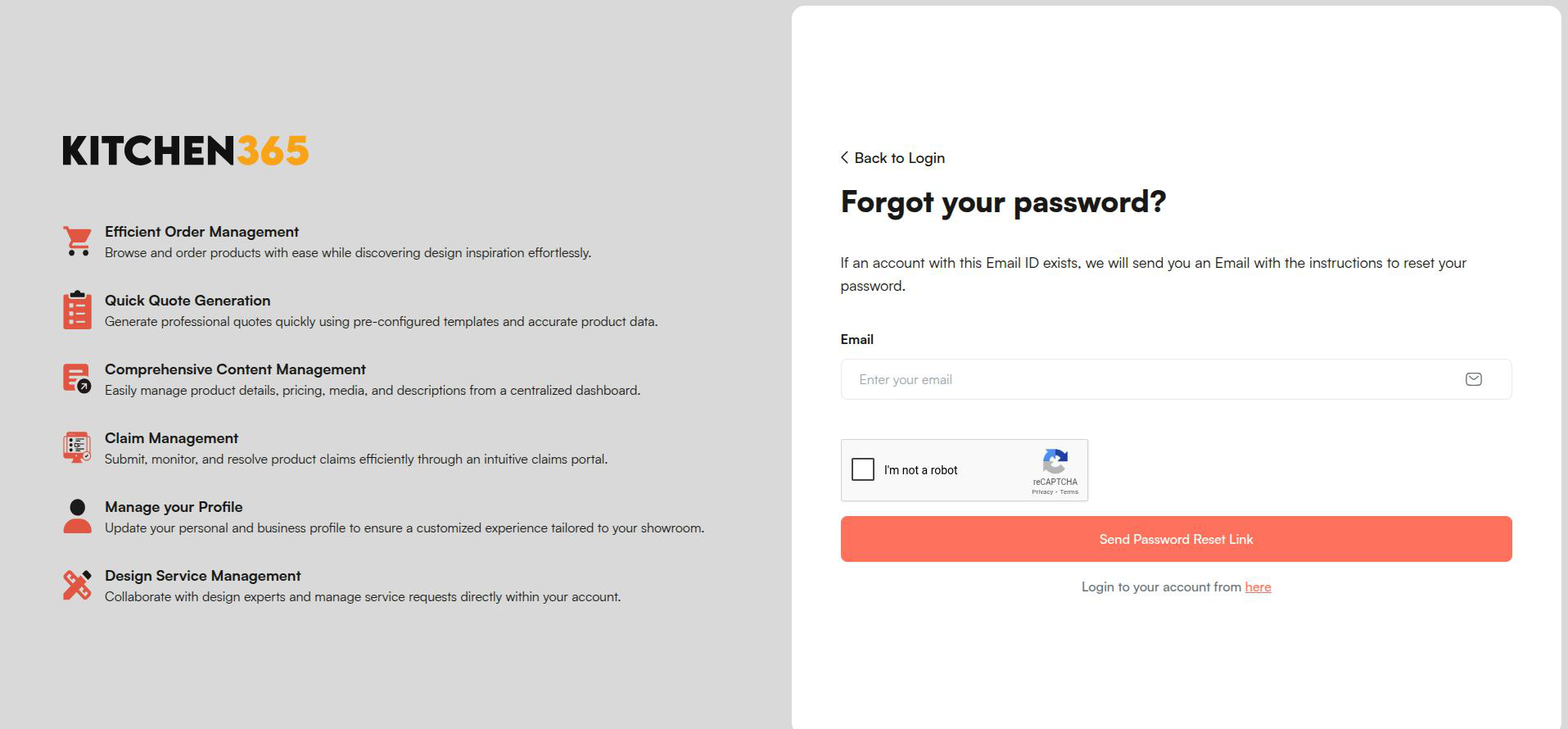
You need to enter the email address associated with your console account and click on "Send Password Reset Link" An email with a password reset link will be sent to you.
You will receive an email with the password reset link, as shown in the screenshot below.
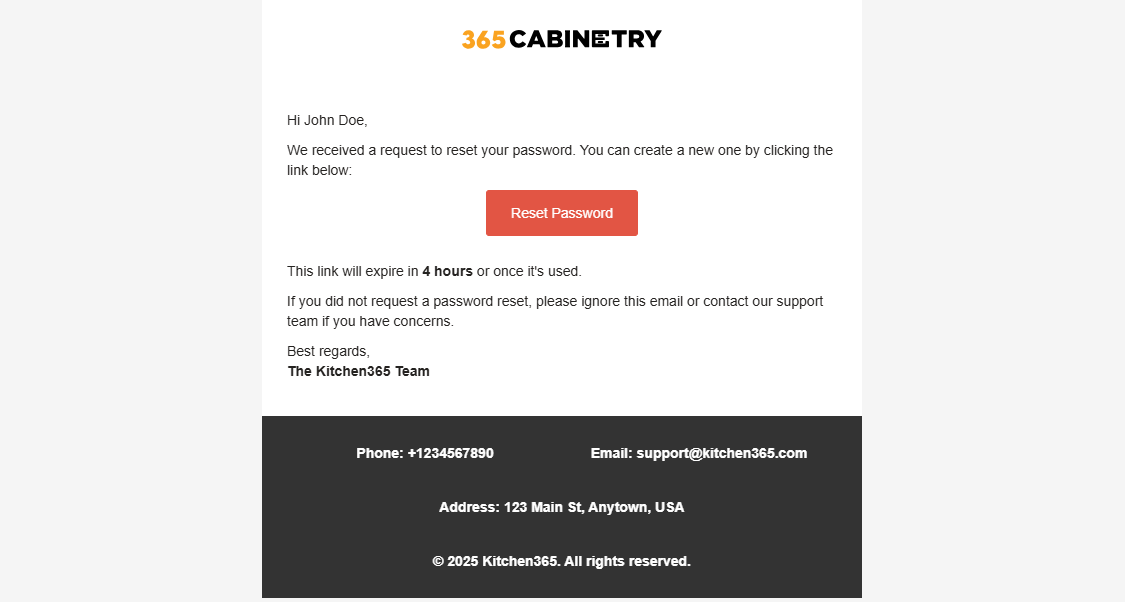
Now, you need to click on the "Reset Password" button in the email.
Upon clicking the "Reset Password" button, you will be redirected to the page shown below to reset your password.
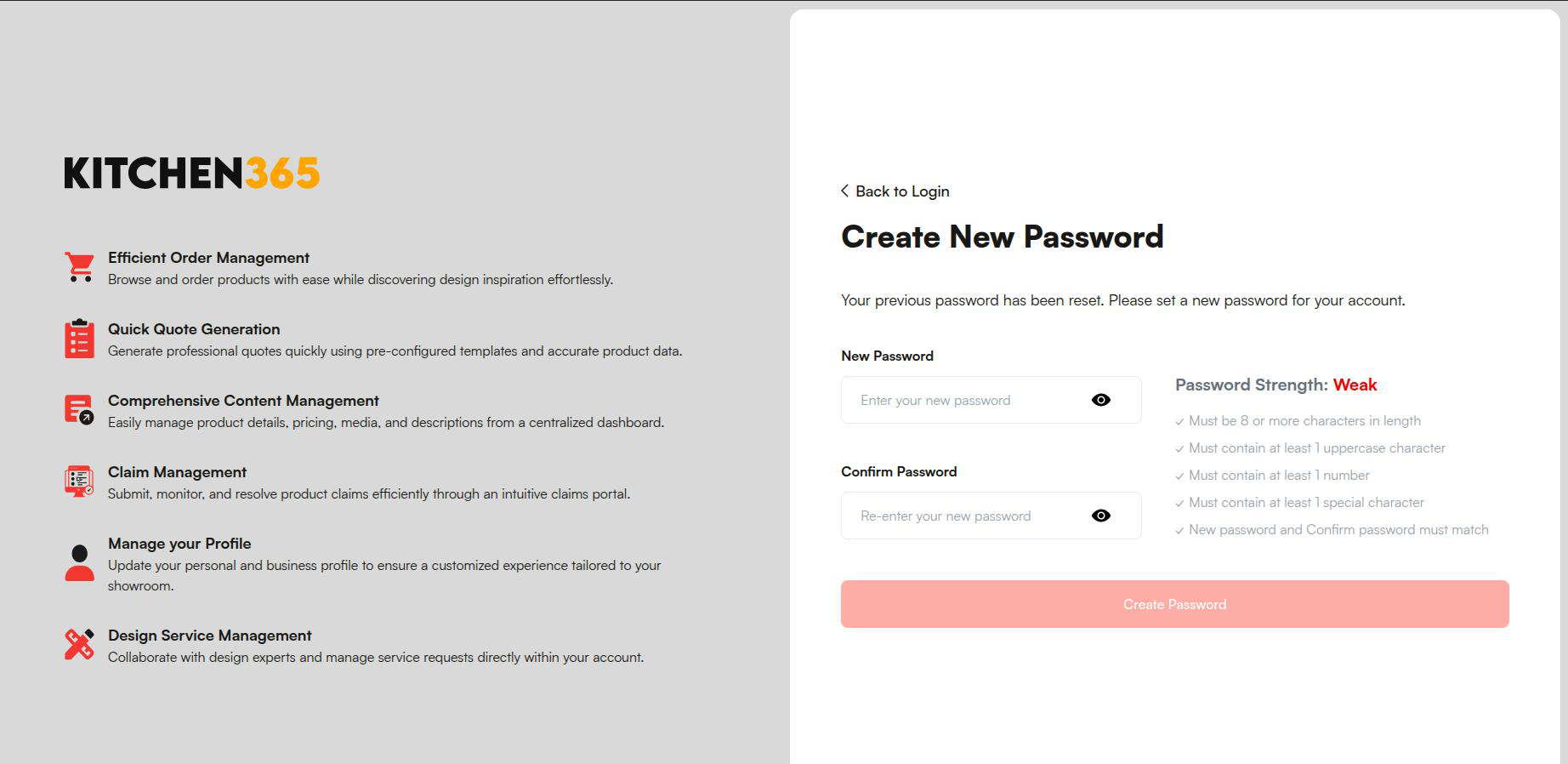
You need to enter your New Password and Confirm Password. The "Create Password" button will only be enabled once both fields are filled, and all password requirements (such as strength and suggestions) are met.
Once you have successfully reset your password, you need to log in using the newly created password.