Call Recording & Tracking
The Call Recording & Tracking module in the Kitchen365 Console v2.0.0 provides an interface to view and manage inbound and outbound calls associated with your CallRail tracking numbers for sales, support, and lead activity. Call data is automatically synced from CallRail via API integration.
Use this module to:
- Review call logs and durations
- Play back or download call recordings
- Inspect keywords and tags applied by CallRail analytics
Data source
All data in this module is automatically synced from CallRail. Ensure your CallRail integration is active and properly configured in the admin backend.
Access
How to open Call Recording & Tracking
- Log in to the Kitchen365 Console.
- In the left sidebar, click Call Recording & Tracking.
The table populates once CallRail data is available for your account.
a. Call Log List
The main table displays call records synced from CallRail.
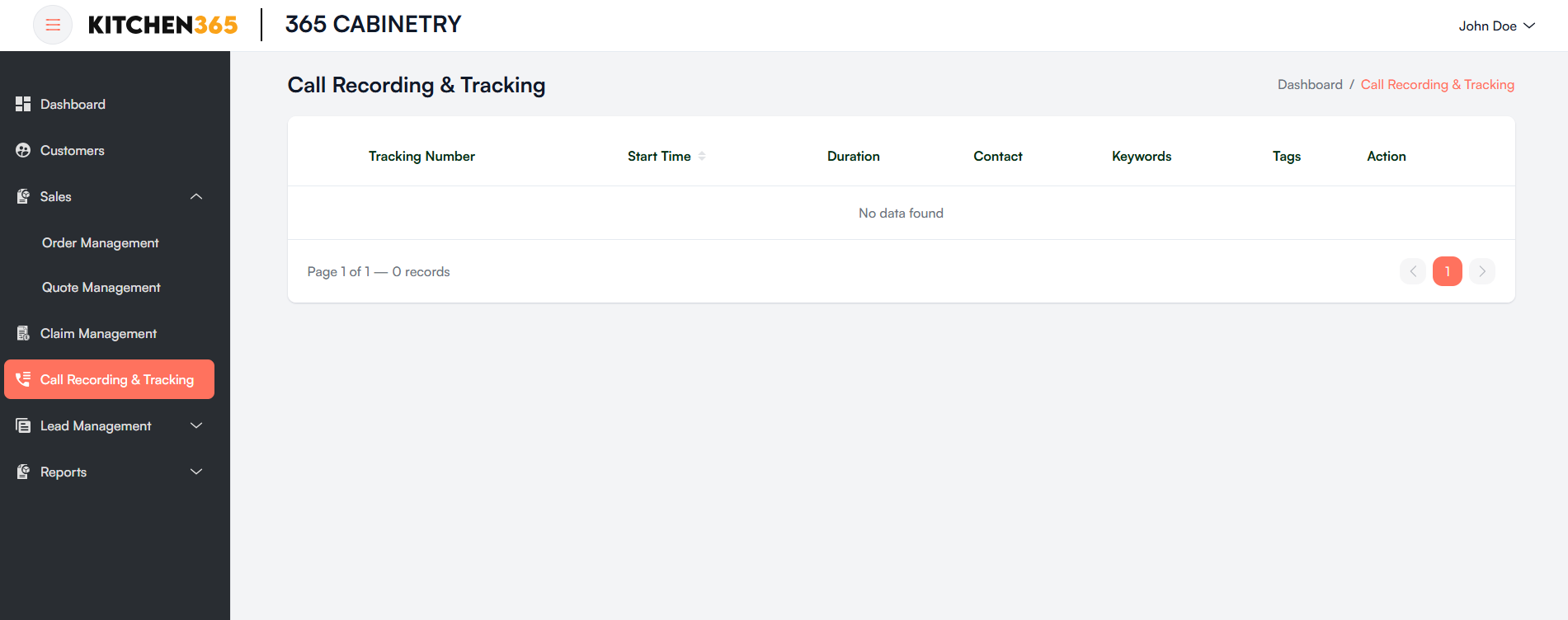
| Column | Description |
|---|---|
| Tracking Number | The virtual number used to track the call source. |
| Start Time | Exact timestamp when the call started. |
| Duration | Total call duration (in seconds or minutes). |
| Contact | Caller information (name and phone number, if available). |
| Keywords | Keywords detected in the conversation via CallRail analytics. |
| Tags | Tags added to classify the call (e.g., "Lead", "Support", "Follow-up"). |
| Action | Playback or download the call recording (available after data loads). |
b. Pagination
- Use the controls at the bottom right to navigate between pages of call logs.
- The system shows 10 records per page by default.