Forgot Password
The Forgot Password flow in the Kitchen365 Console v2.0.0 lets registered users reset their password when they cannot sign in.
Access
How to open Forgot Password
- Open the Kitchen365 Console Login page.
- Click the Forgot Password link below the sign-in form.
a. Request Reset Link
On the Forgot Password screen, enter the email address associated with your Console account and click Send Password Reset Link.
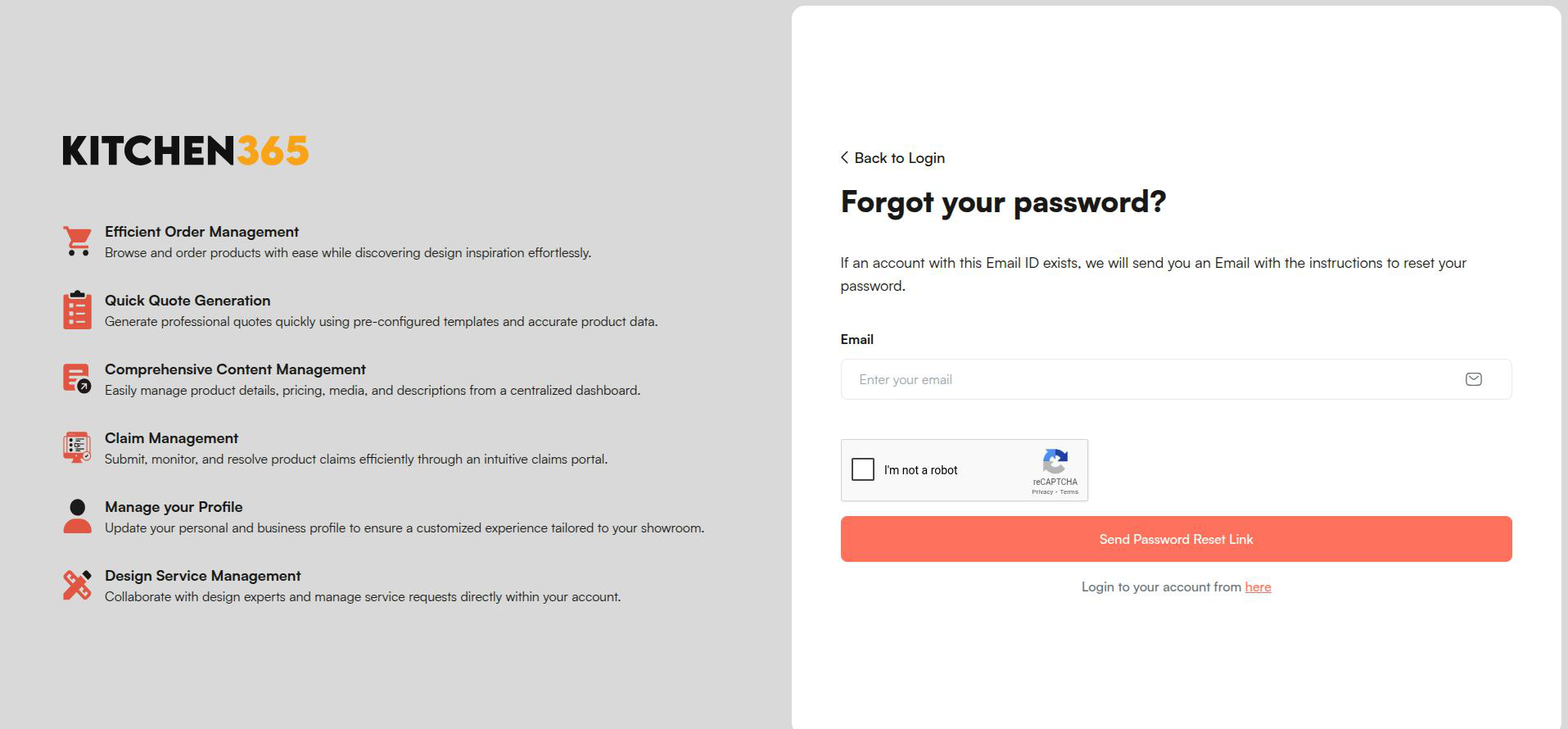
An email with a password reset link is sent to that address.
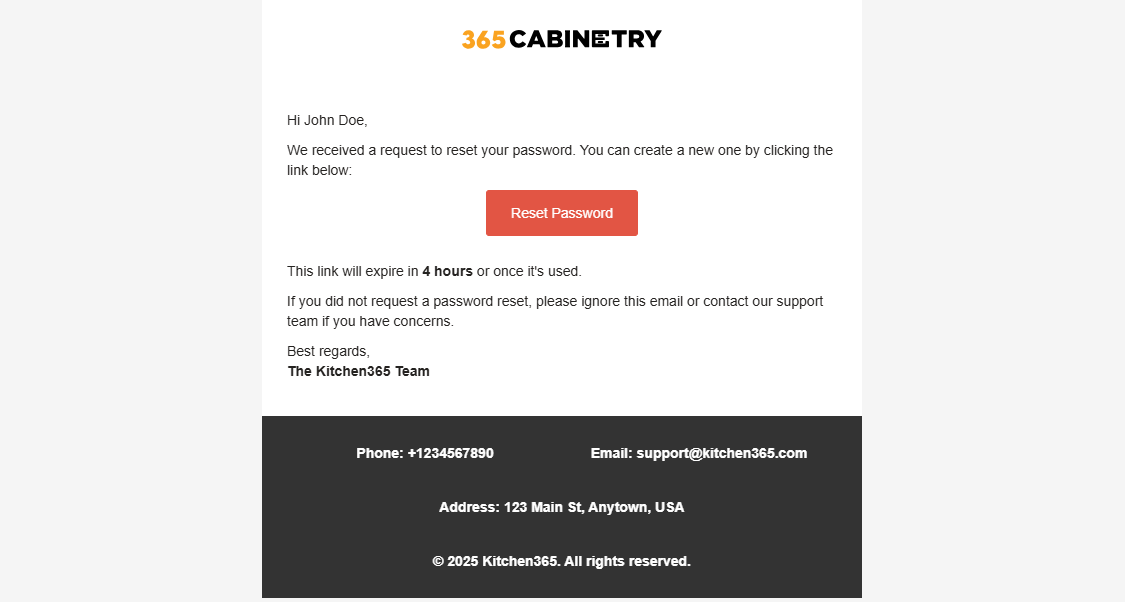
b. Reset Password
- Open the password reset email.
- Click Reset Password.
- On the reset page, enter your New Password and Confirm Password.
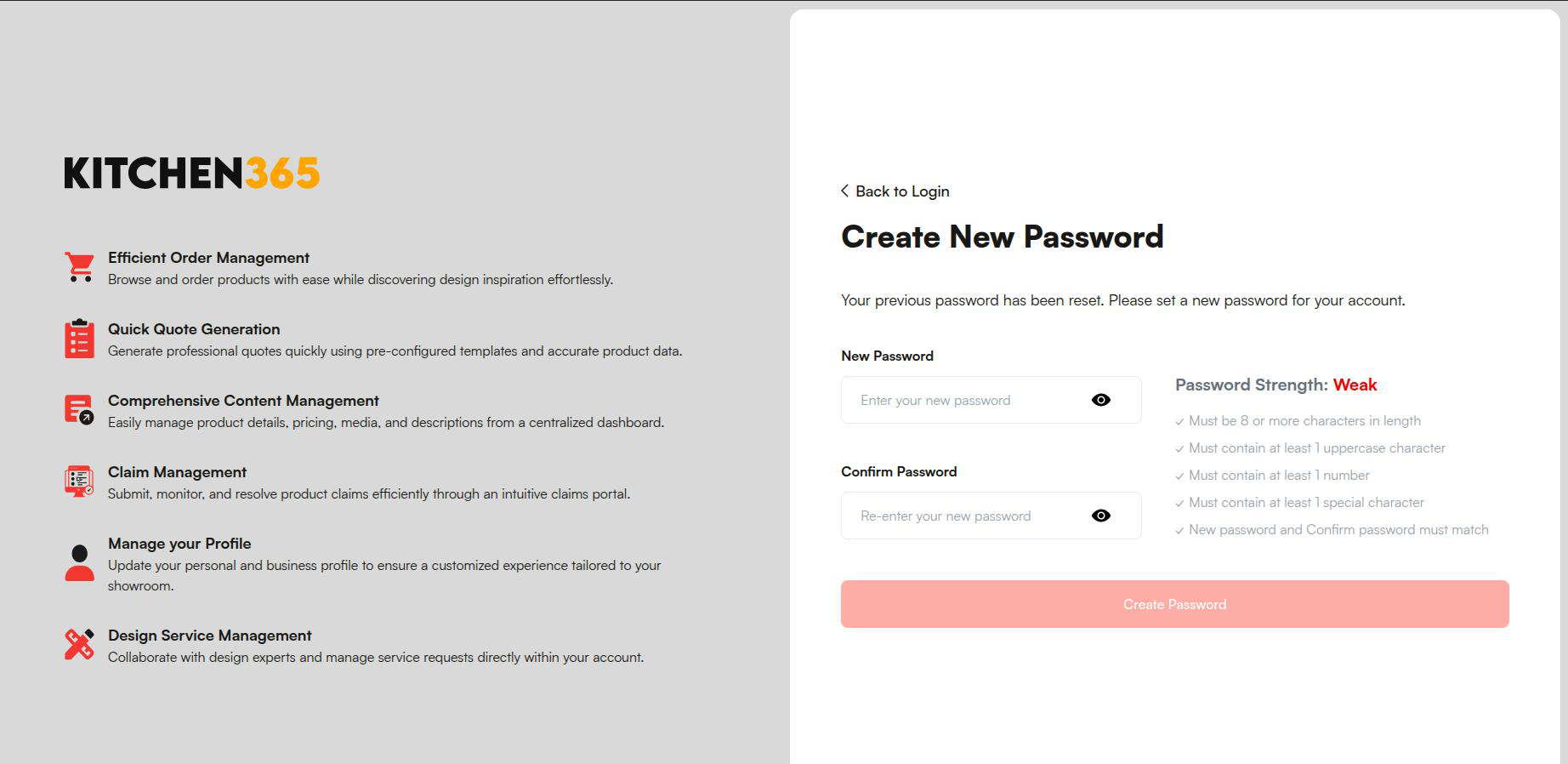
The Create Password button is enabled only when both fields are filled and all password requirements are met.
c. Sign In with New Password
After a successful reset, return to the Login page and sign in using your new password.