Log out
The Log out action in the Kitchen365 Console v2.0.0 securely ends your session and returns you to the Login page.
Access
How to log out
- Log in to the Kitchen365 Console.
- In the top-right corner, click your name to open the user menu.
- Click Log out.
| Menu Option | Description |
|---|---|
| User Profile | View and edit your personal information. See User Profile. |
| Change Password | Update your account password. See Change Password. |
| Log out | Sign out of the Console. |
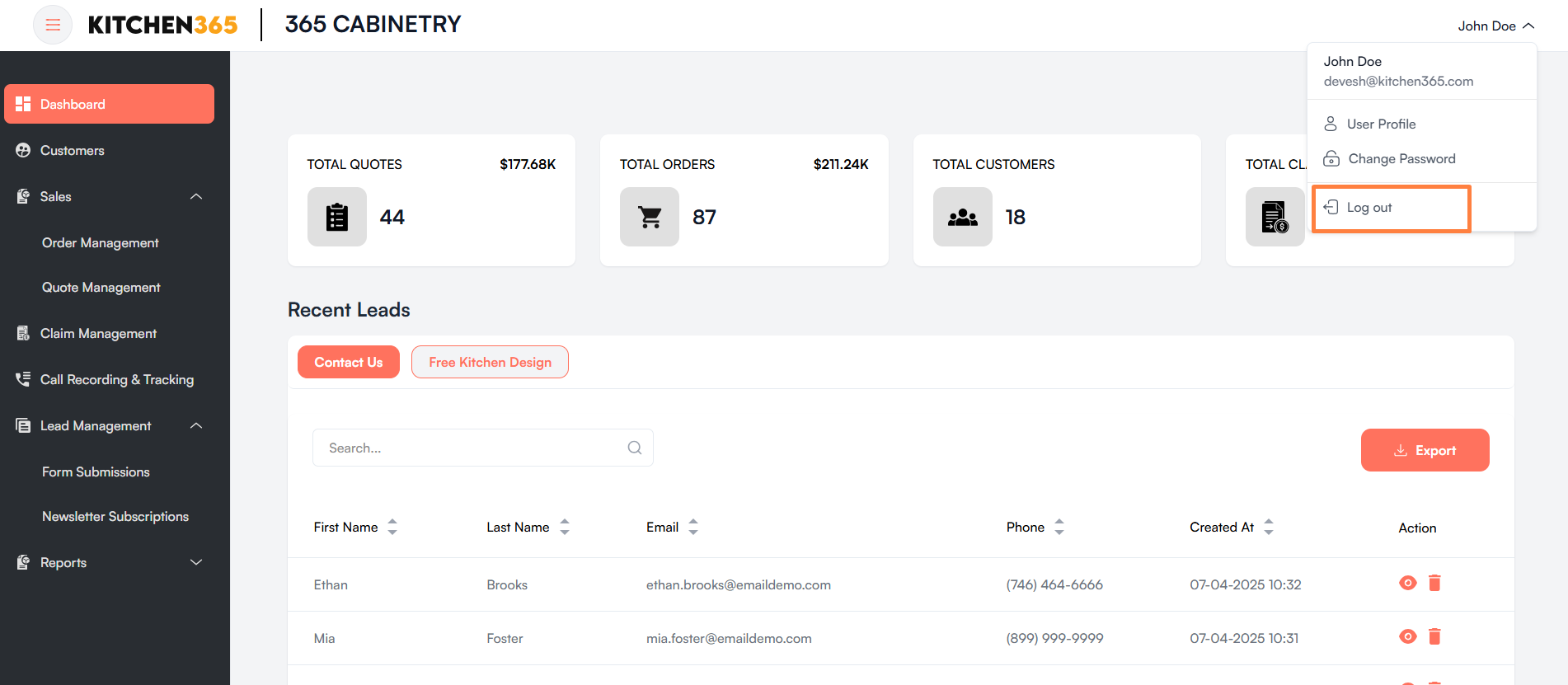
After you click Log out, your session ends and you are redirected to the Login page.